Formulation
The least-cost formula, in a click
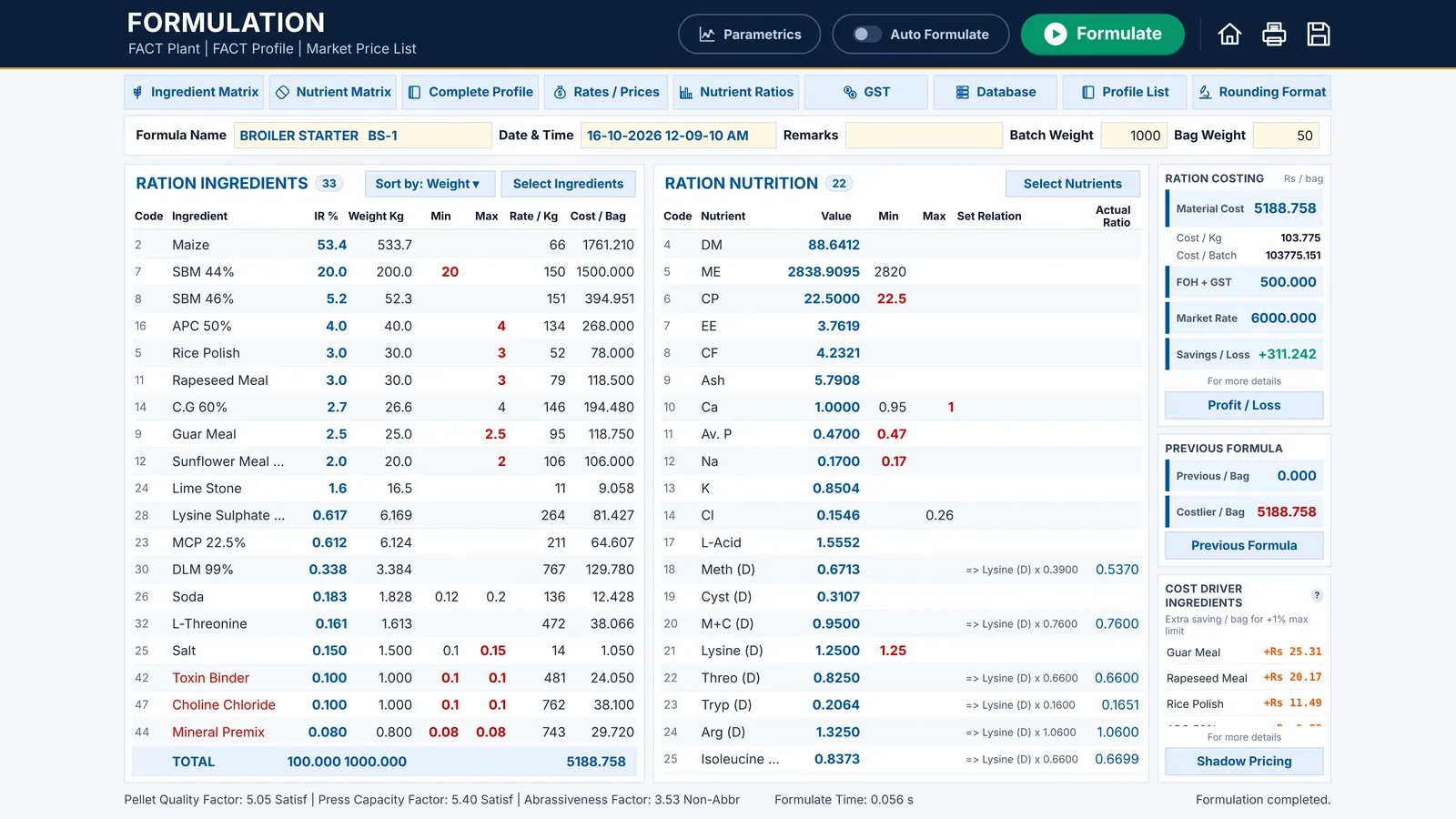
Open a formula model, check its limits and select Formulate. FACT’s solver returns the cheapest mix that meets every ingredient limit, nutrient limit and ratio, usually in a fraction of a second.

Features
FACT does the whole job: from your ingredient database and prices to the least-cost formula, the reasons behind its cost and the plan for your raw materials.
Formulation
Open a formula model, check its limits and select Formulate. FACT’s solver returns the cheapest mix that meets every ingredient limit, nutrient limit and ratio, usually in a fraction of a second.

Not feasible
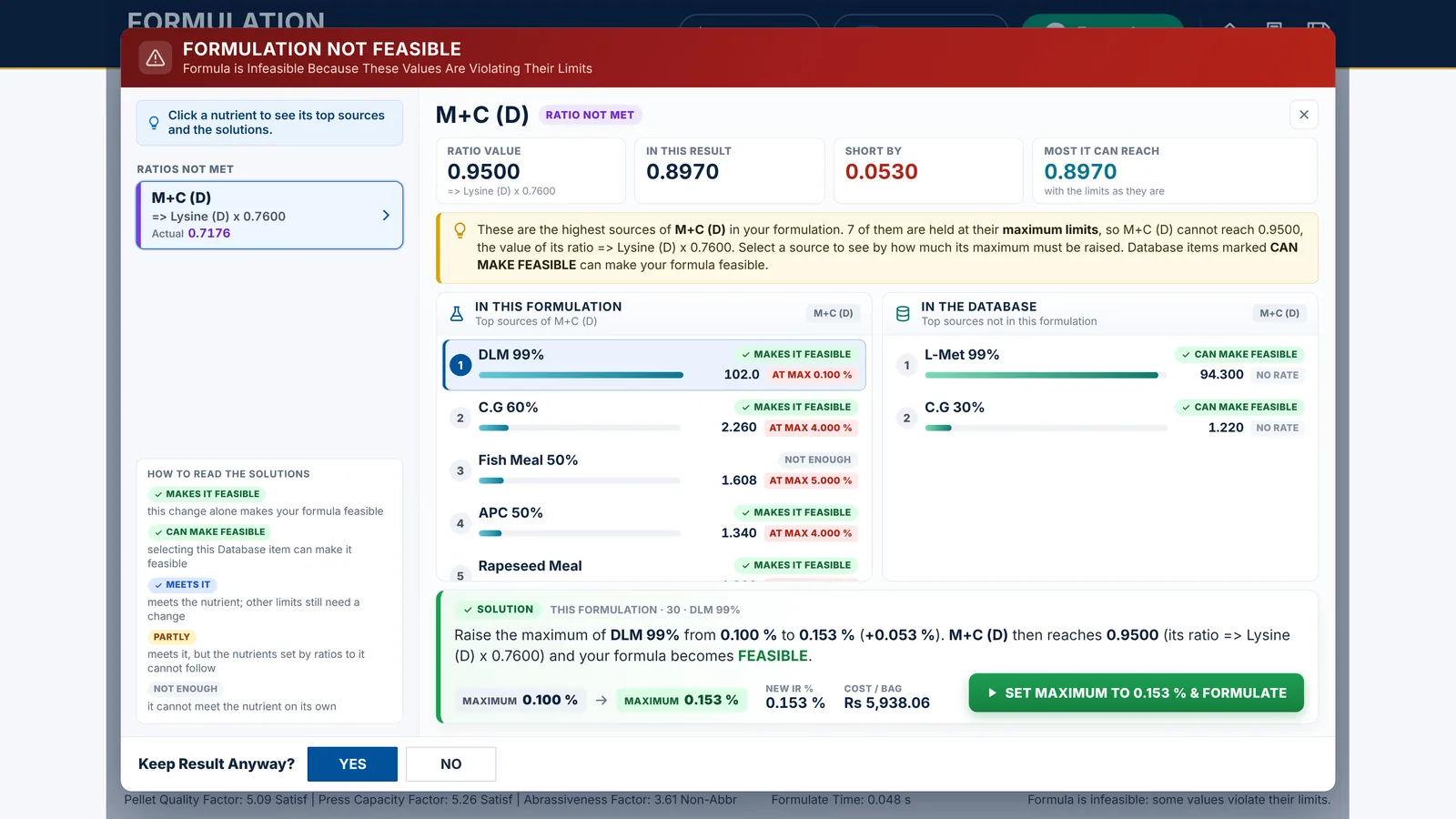
FACT lists the values that break their limits and shows the best sources of each, in your formula and in your database. It works out the change that makes the formula feasible, with its cost, and applies it in one click.

Shadow pricing
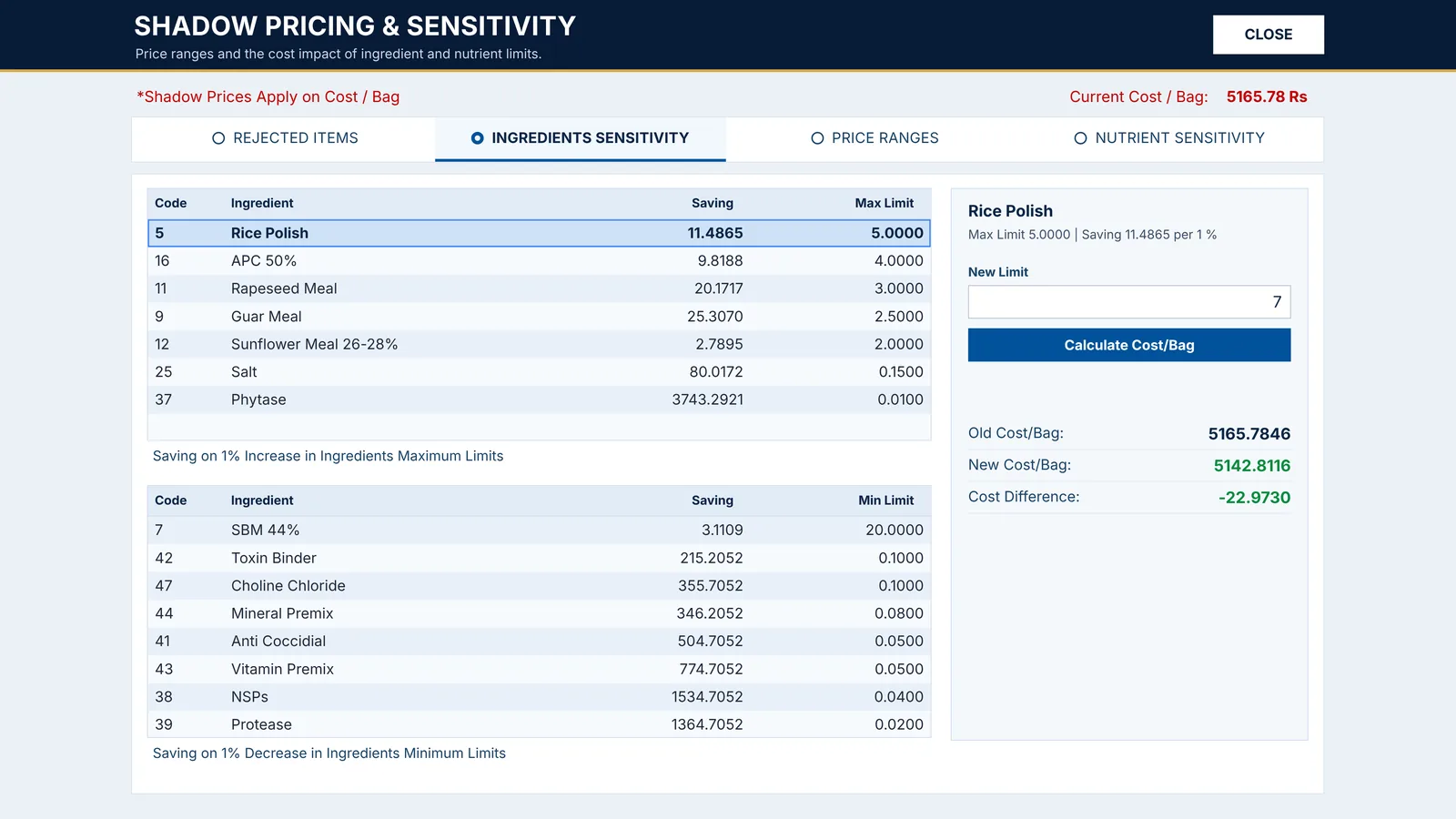
Shadow pricing shows the saving of one percent more of each ingredient held at its maximum, the price at which a rejected ingredient would come in, and the price range in which your formula stays the same. Try a new limit and see the new cost per bag before you change anything.

Costing
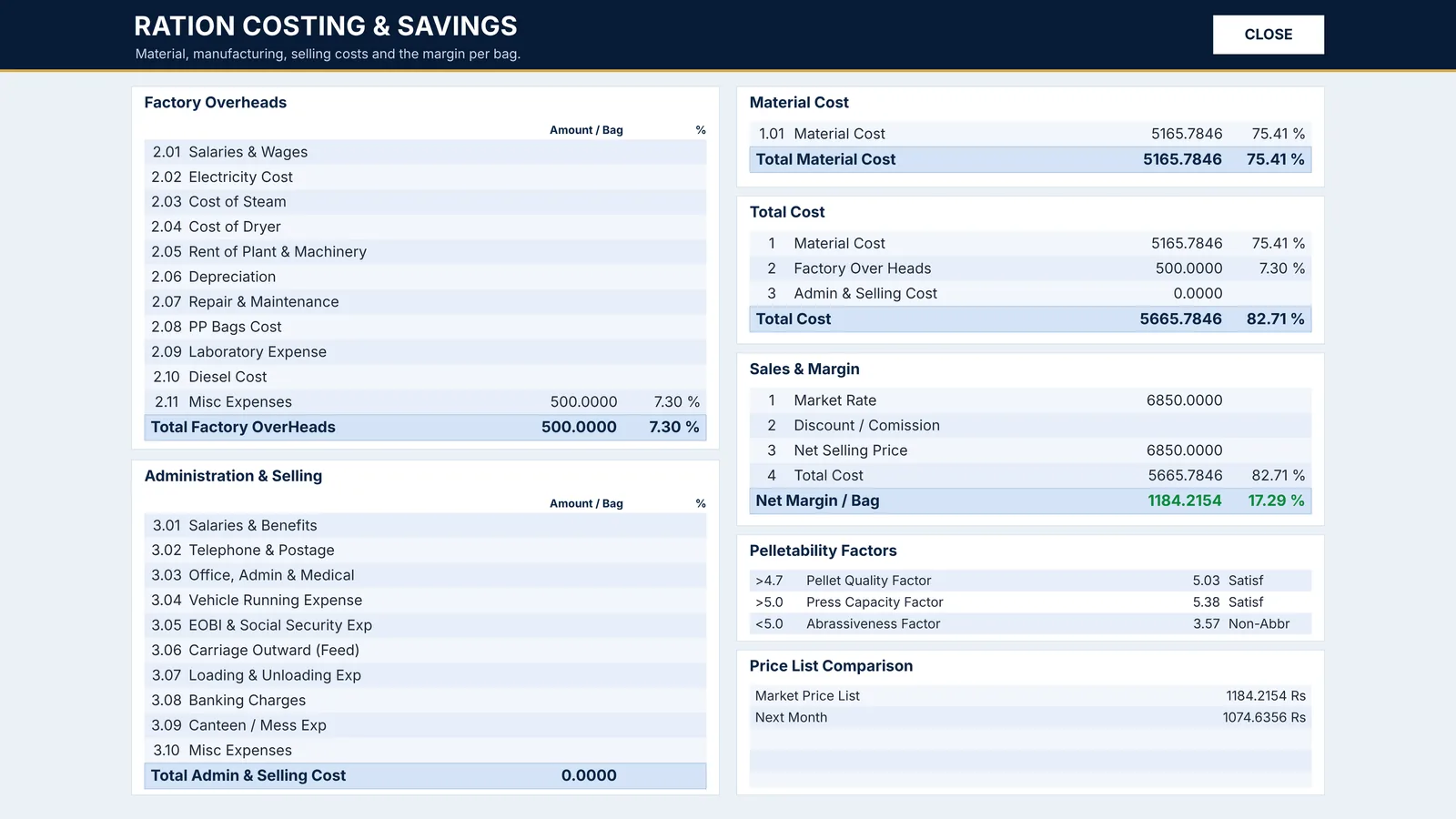
Every formula shows its full costing: factory overheads, admin and selling costs, material cost, total cost and the net margin at your market rate. The GST calculation works out the input and output GST and the saving after GST.

Parametrics
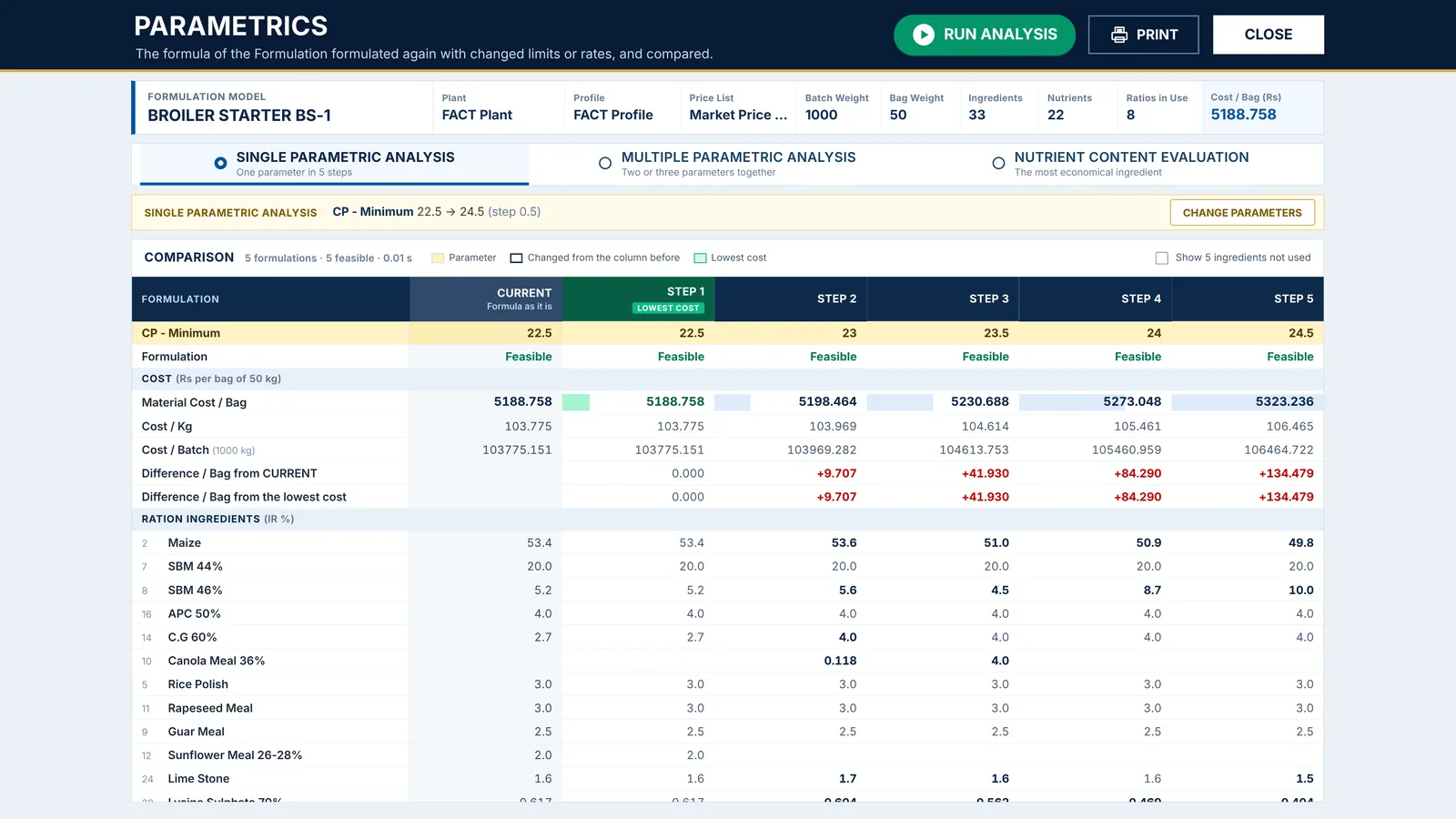
Run one limit, nutrient or price through five steps, change two or three parameters together, or find the most economical of 2 to 5 similar ingredients, such as SBM 44% and SBM 46%. The formula on your screen does not change.

Multiblend
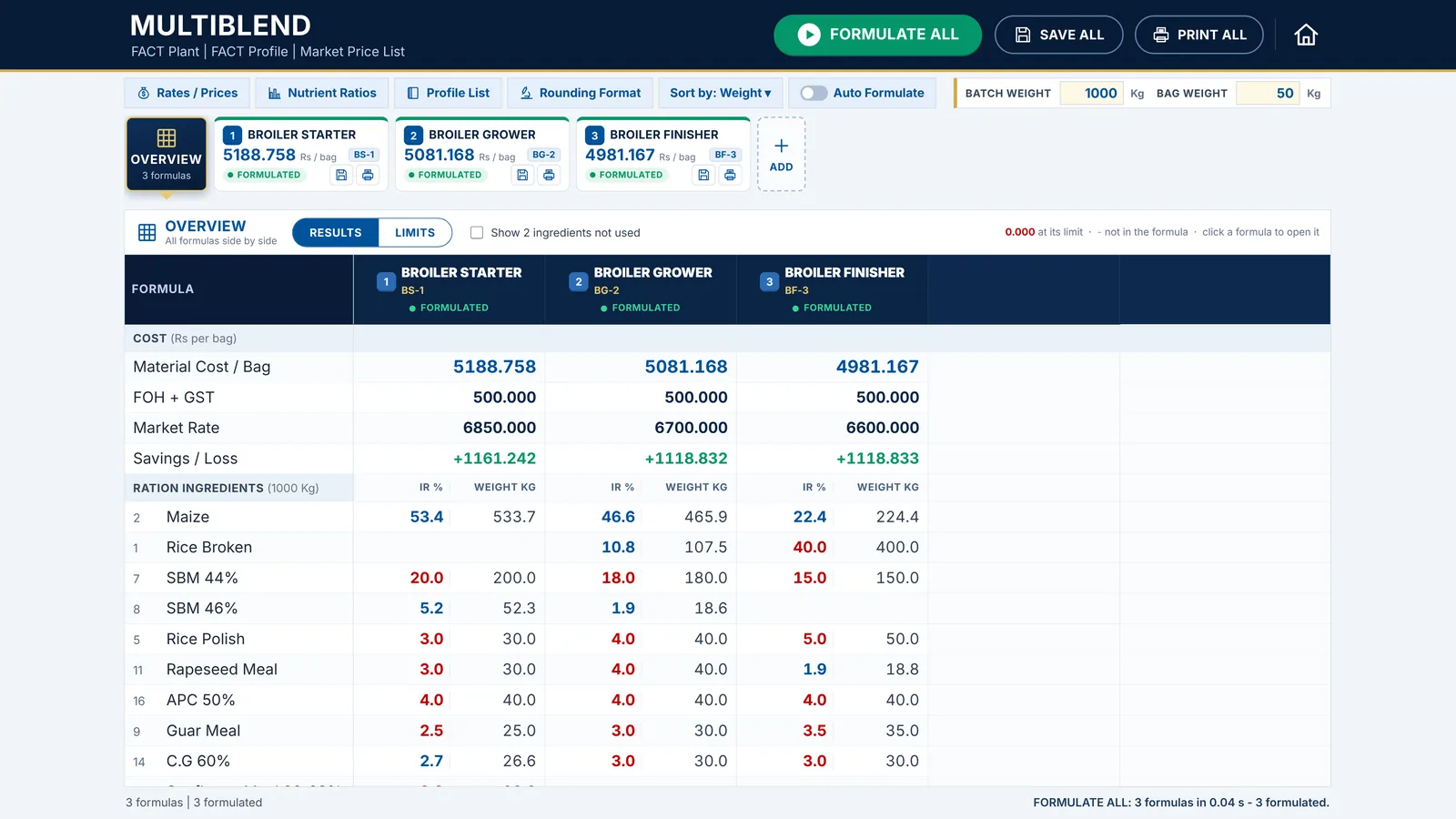
Open the starter, grower and finisher together. Formulate all of them, compare results and limits side by side, set the same limit in every formula in one step, then save and print them together.

Formula analysis
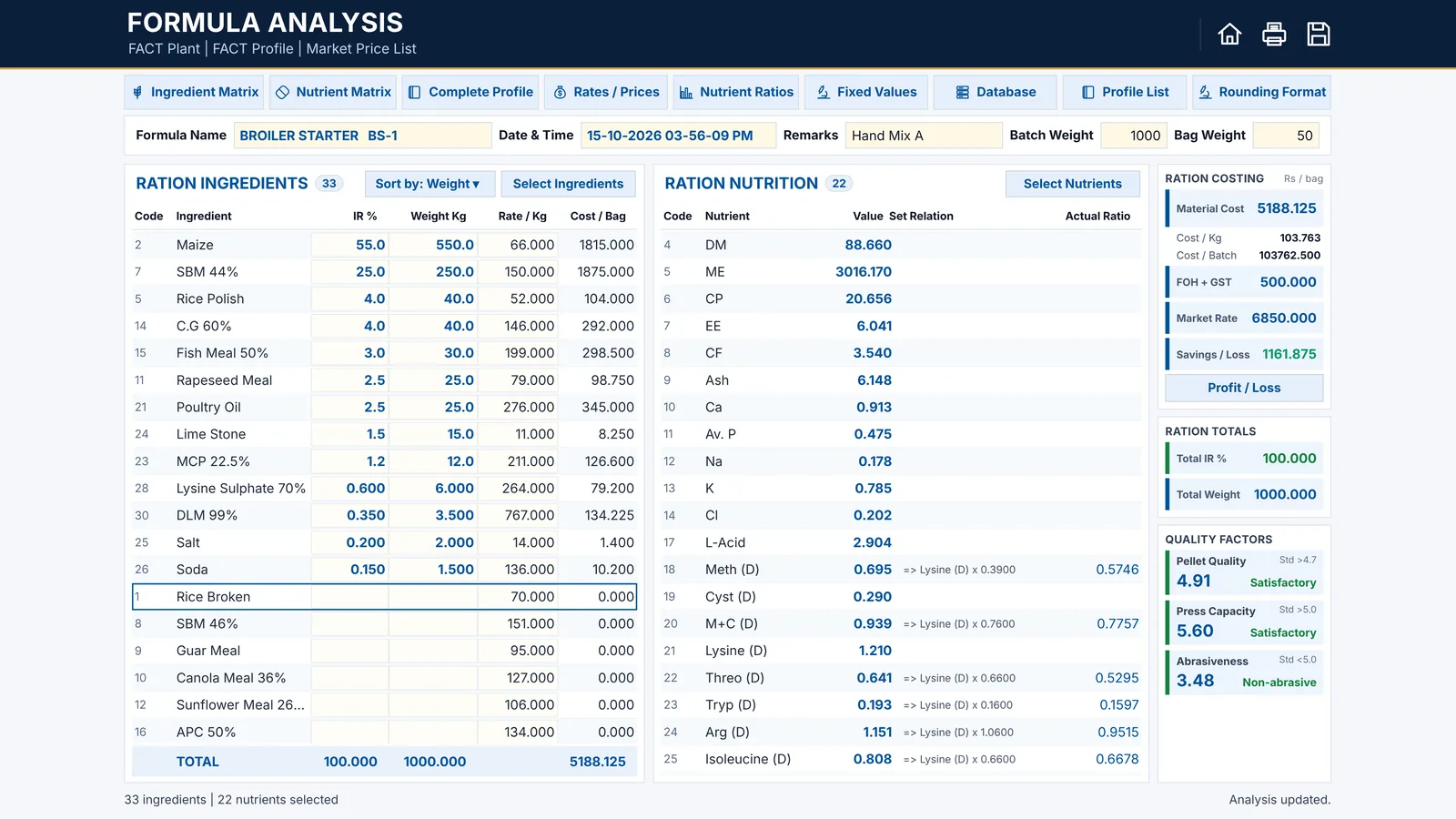
Type the inclusion rates or weights of a hand-made ration, or one from a consultant. FACT works out the nutrients, the cost, the saving and the pellet quality factors as you type.

Feed store and comparison
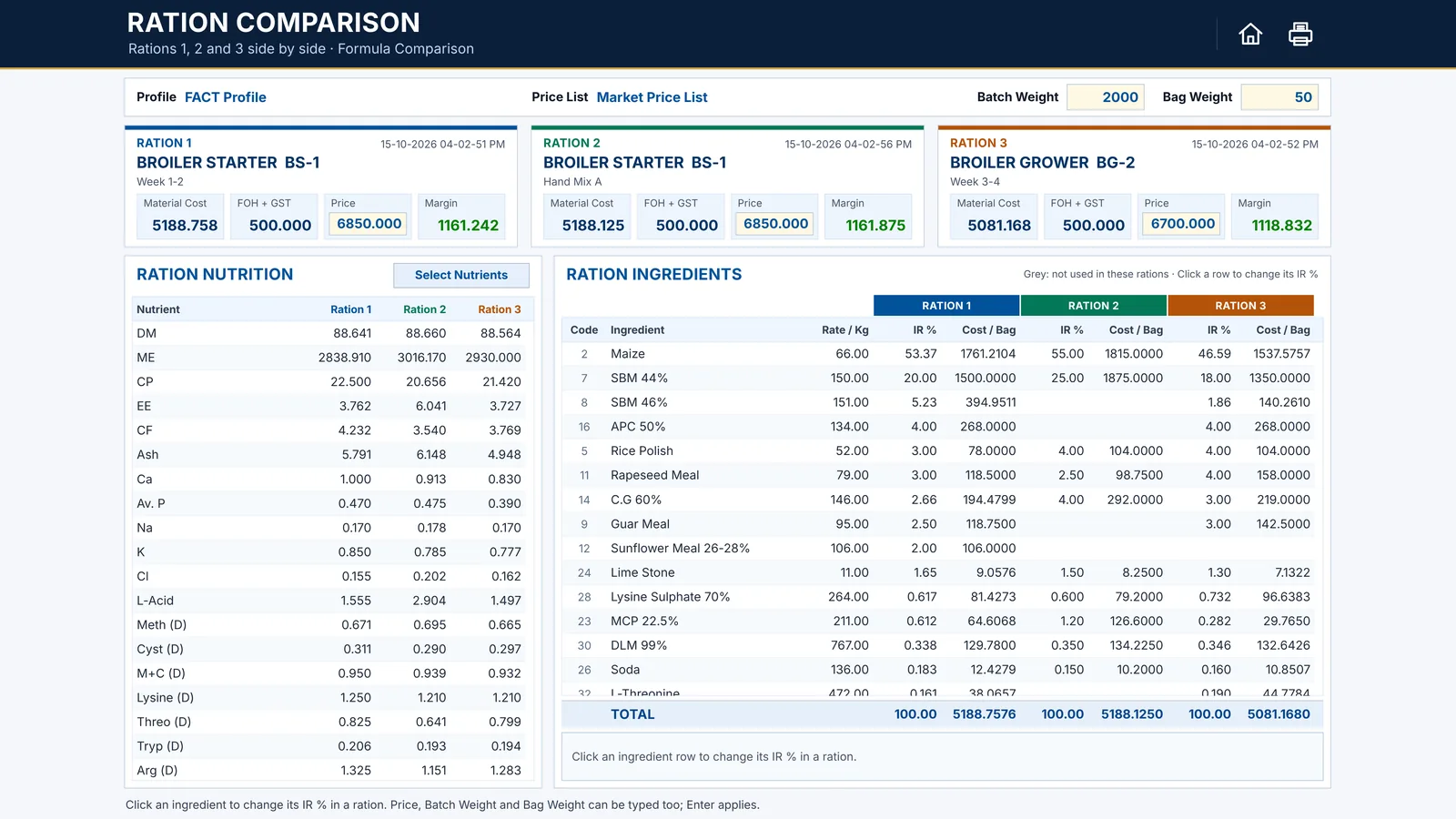
Every formula you save goes to the Feed Store with its comments and date. Compare up to three saved rations side by side, at the prices you use today, and try a change before you decide.

Stock projection
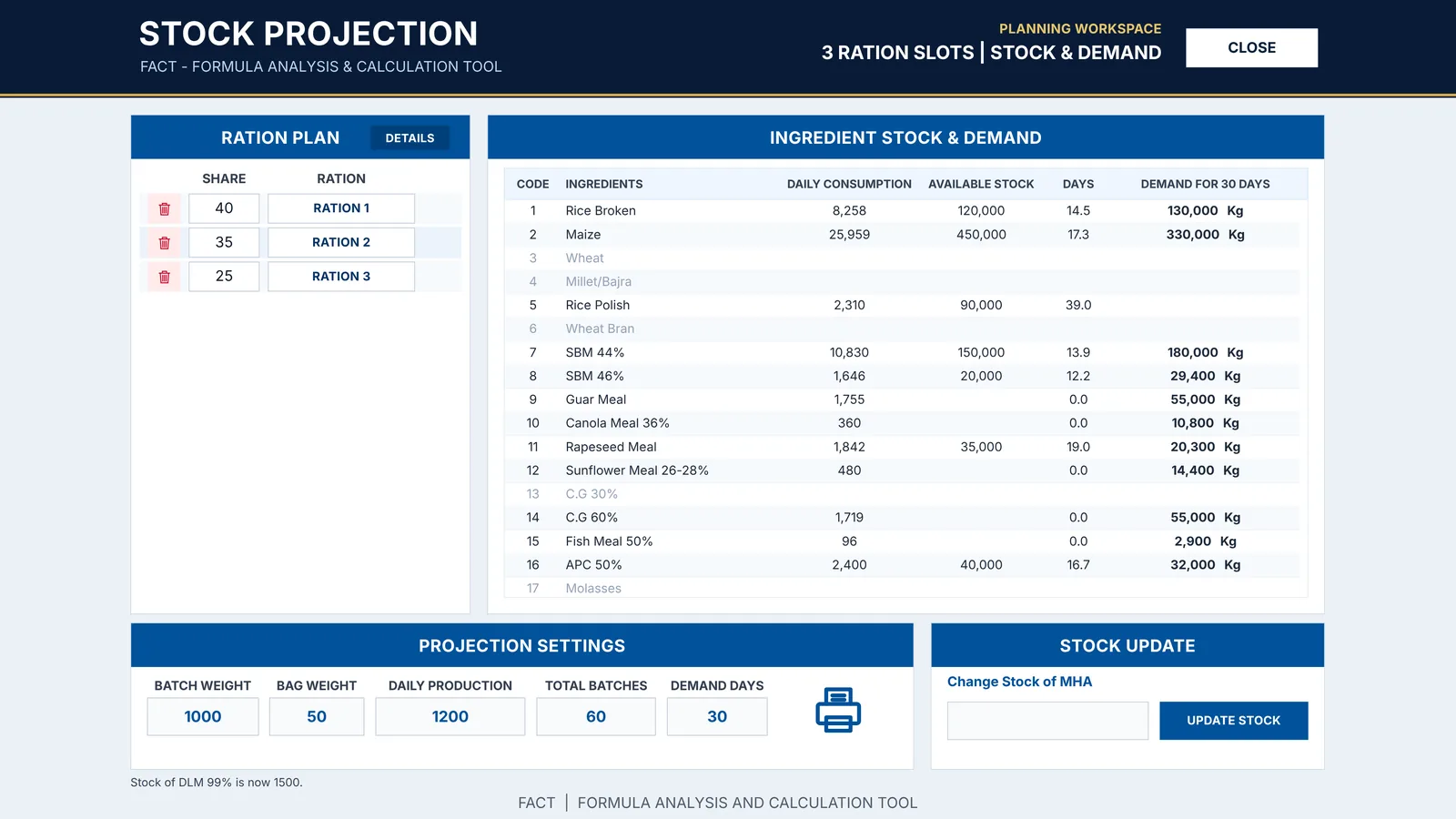
Enter your daily production and the share of each feed. FACT works out the daily use of every ingredient from your current rations, how many days your stock lasts and what to buy for the days ahead.

Set up once
The Home screen groups your data into UPDATE and SELECT, just like the FACT workbook you may know.
Ingredients with their nutrient values and categories, nutrient equations, and pelletability factors.
Price lists with or without GST, the date of every change, and price list comparison.
One model per feed, with its selling rate, factory overheads, admin costs and bag weight.
One FACT for all your feed plants, each with its own models, prices, stock, saved rations and currency.
More than one set of nutrient values, for example for a new crop or another supplier.
Production sheets for the mixing floor, costing and nutrition prints, price lists and plans.
With a key that allows it, FACT reads your FACT .xlsm file once: database, prices, models, ratios and current rations.
Download FACT, send us your Machine Code on WhatsApp, and start formulating today.